 Interview
 ⚡
Answers in about a second
The answer starts streaming onto your screen almost immediately, so you read it naturally instead of waiting for a wall of text.
Interview AI Helper listens along during your call, transcribes the question, and shows a clear, natural talking point in about a second — matched to your role and your resume, in a private window that stays off your shared screen on Zoom, Teams and Meet.
Everything you need to stay ahead — built for technical, behavioral, and system-design interviews.
Interview AI Helper listens to the meeting audio, detects the interviewer's question, understands the context, and prepares an accurate answer in real time.
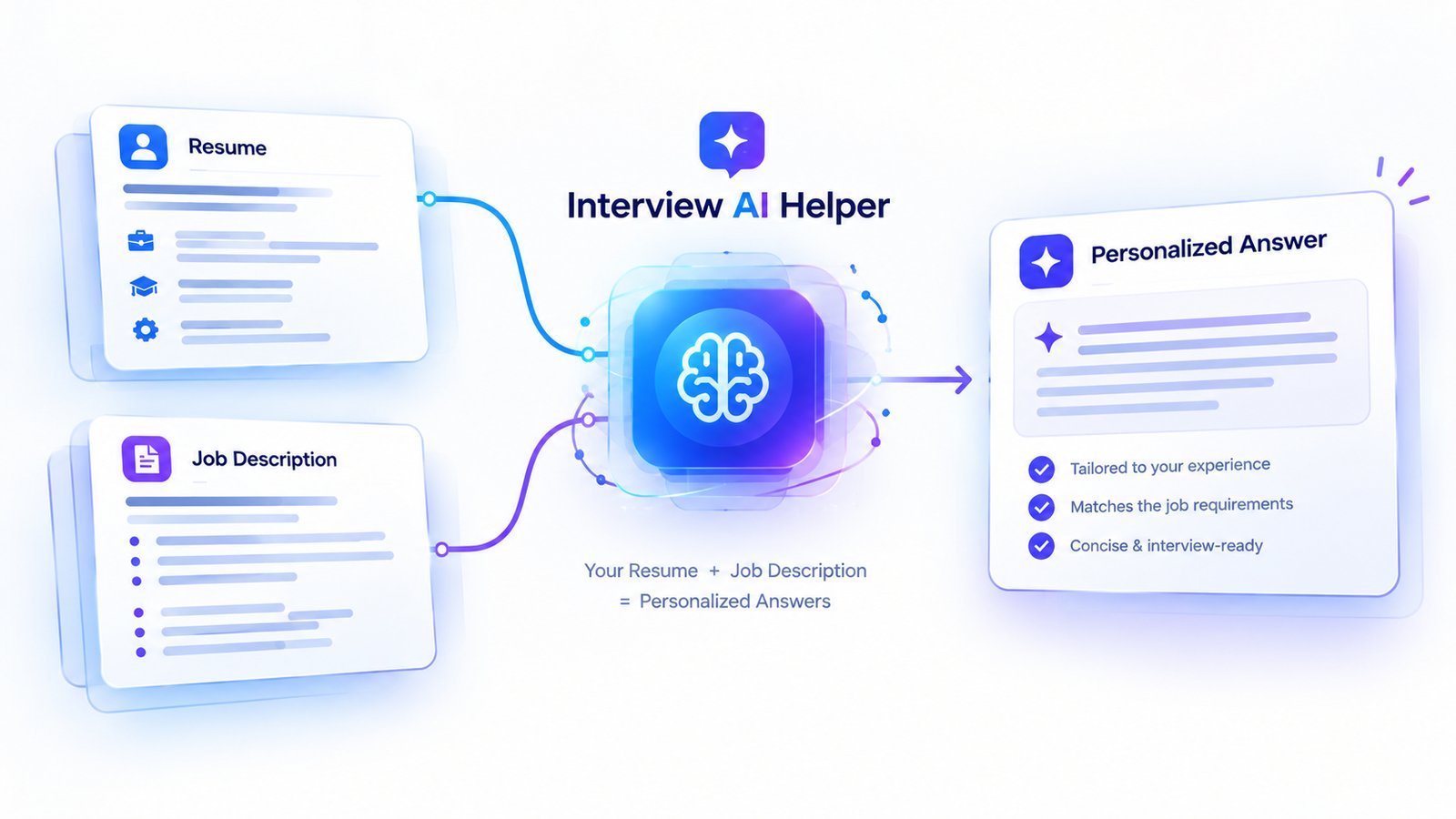
Upload your resume and the job description once — every answer is checked against both, so it sounds like your real experience aimed at the exact role you're interviewing for, not a generic template.
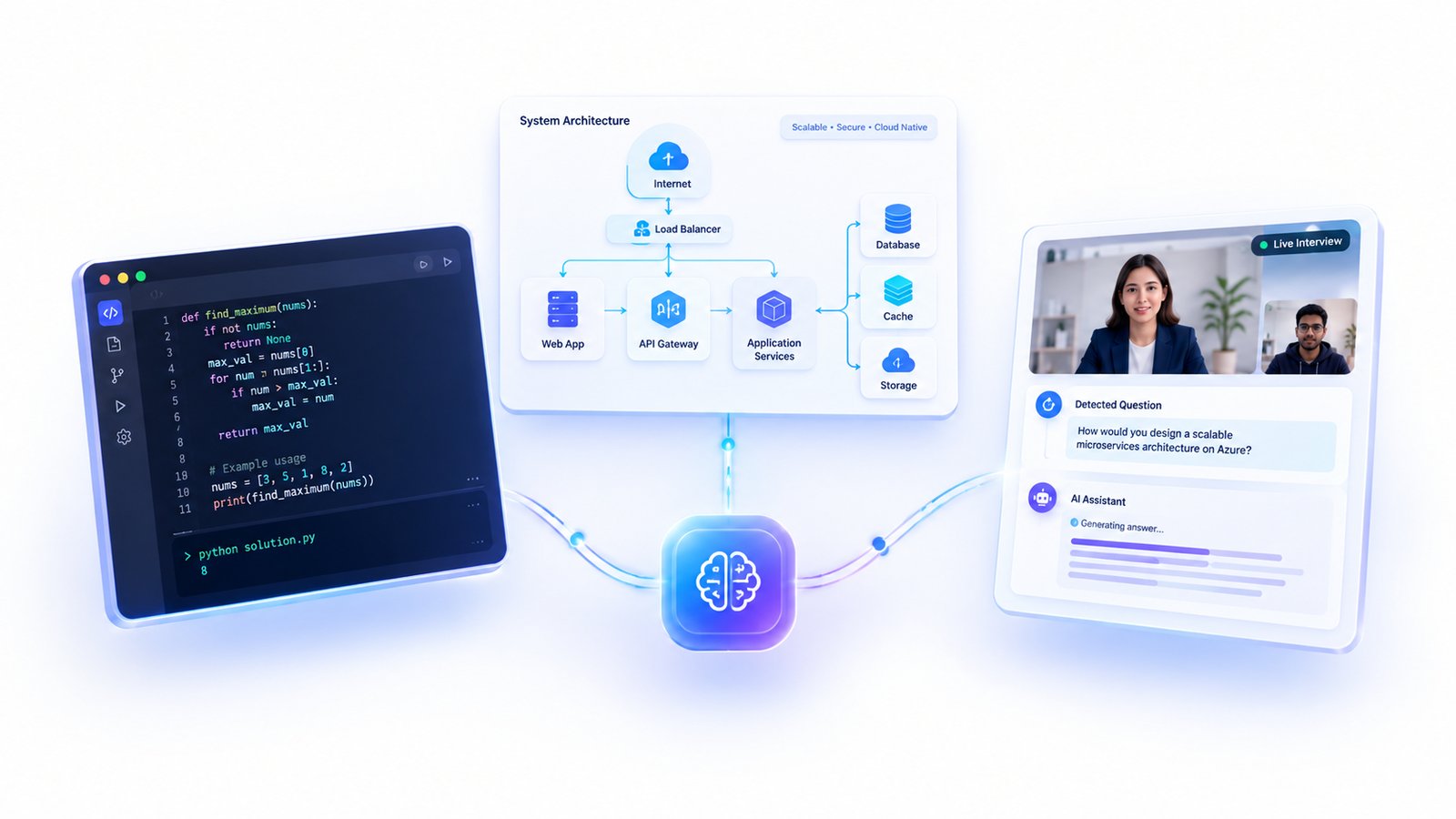
From a coding problem to "design a scalable system on Azure," Interview AI Helper detects the question type and answers with real code or a structured design breakdown — not just spoken talking points.
The answer starts streaming onto your screen almost immediately, so you read it naturally instead of waiting for a wall of text.
On Windows the window is excluded from screen capture, so it stays off Zoom, Teams and Meet shares — like keeping personal notes to the side, out of the taskbar too.
Press Alt+S to capture your screen and pull the question straight out of a
coding pad, doc or chat — no typing needed.
Feed it your resume and the job description and answers are written in your voice, with the experience you actually have — never inflated.
Short, spoken-style answers that sound like a confident candidate — not a textbook — so you can say them out loud as they appear.
From QA and DevOps to data, cloud and system design — answers are aimed at the exact role you pick before you start.
Download for Windows, sign in with the login your plan came with, and pick your role.
Drop in your resume and the job description so answers match your background.
Join your interview as normal. The app hears the interviewer through the meeting audio.
Each question is transcribed and answered on your screen in about a second. Speak it in your own words.
Pick your role in Setup and every answer is written for it — the right depth, the right vocabulary, the right examples.
Data structures, algorithms, system design, and language- and framework-specific questions.
Manual and automation, test strategy, frameworks, and bug-triage questions.
CI/CD, Kubernetes, Terraform, cloud, monitoring, and reliability questions.
SQL, data pipelines, statistics, and case-style analytical questions.
Azure/AWS architecture, networking, security, storage, and cost questions.
STAR-format behavioral answers, product sense, and stakeholder questions.
…and 20+ more roles — you choose yours before the interview starts.
Interview AI Helper listens to your system audio, so it works with any app that plays the interviewer's voice through your speakers.
One account, one place — from live help to prep and your resume.
How candidates describe interviewing with Interview AI Helper.
New here? Create your account first — the mobile number and password you set
become your login in the app too.
🎁 Free 5-minute demo — no card needed.
Sign up with your mobile number — then download, right after
Already have an account? Windows 10 & 11 · 64-bit · Start Menu & desktop shortcut, clean uninstall
Windows 10 & 11 · 64-bit · no install, unzip and run, leaves no trace
Windows blocking it? Right-click the downloaded file → Properties → tick Unblock → OK, then run again.
Message us on WhatsApp and we'll set you up with Interview AI Helper, answer your questions, and get you ready for your next interview.
Quick replies, real people. Tap below and start the conversation.
💬 Connect on WhatsAppNo. On Windows 10 (build 2004+) and Windows 11 the window uses the operating system's screen-capture exclusion, so it stays private and does not appear in Zoom, Teams or Meet screen shares — similar to keeping personal notes off to the side. It also stays out of the taskbar and Alt-Tab.
No. It listens only to the meeting's system audio — the interviewer's voice coming through your speakers — never your microphone or the room around you.
Answers begin appearing on your screen in roughly one second after the interviewer finishes the question, streaming word by word so you can read them naturally.
Yes. You can paste or type a question, or press Alt+S to read a question straight
off your screen — useful for coding pads, shared docs and chat windows.
No. Minutes and questions have lifetime validity — whatever you don't use carries over and can be used whenever your next interview is scheduled.
Get Interview AI Helper for Windows and walk in with a co-pilot in your corner.
💬 Connect on WhatsApp